The one test that matters
A widget earns its space if glancing at it answers a question you would otherwise open an app to ask — “how long is left”, “what’s next”, “did I already do this today”. A widget that just displays information you already know by heart is decoration, not productivity. Everything below passes that test for a specific kind of day.
Focus — for anyone who works in blocks
A Pomodoro-style timer for work and break phases, with a Live Activity that keeps the countdown visible on the Lock Screen and in the Dynamic Island on supported iPhones — so the timer is running whether or not the app is open.
It earns its spot because starting a session takes one tap and ending one early is honest: the widget shows elapsed time, not a fiction that you worked the full block when you didn’t.
Up Next — for a day with real appointments
Shows your next few calendar events, drawn in whichever theme pack the rest of your Home Screen uses. If your day is a sequence of meetings rather than open blocks of time, this earns a spot Focus wouldn’t — the two solve opposite problems and rarely need to sit side by side.
Habit — for the thing you keep forgetting
Daily completions and a streak, for one habit you set. The honest use of this widget is exactly one instance of it, for the single habit you’re actually trying to build — a Home Screen with six Habit widgets is a sign the habit isn’t working, not a sign of ambition.
Countdown — for the date that’s actually coming
Time remaining until any date you choose, down to the second if you want it. It’s one of Novique’s free families, which makes it the cheapest way to find out whether a countdown widget earns a permanent spot on your Home Screen before touching anything paid.
Month — for planning a week, not a minute
This month at a glance, with today circled. Where Up Next answers “what’s next”, Month answers “how full is this week” — a different question, and one a phone-sized widget answers better than opening the full Calendar app to scroll.
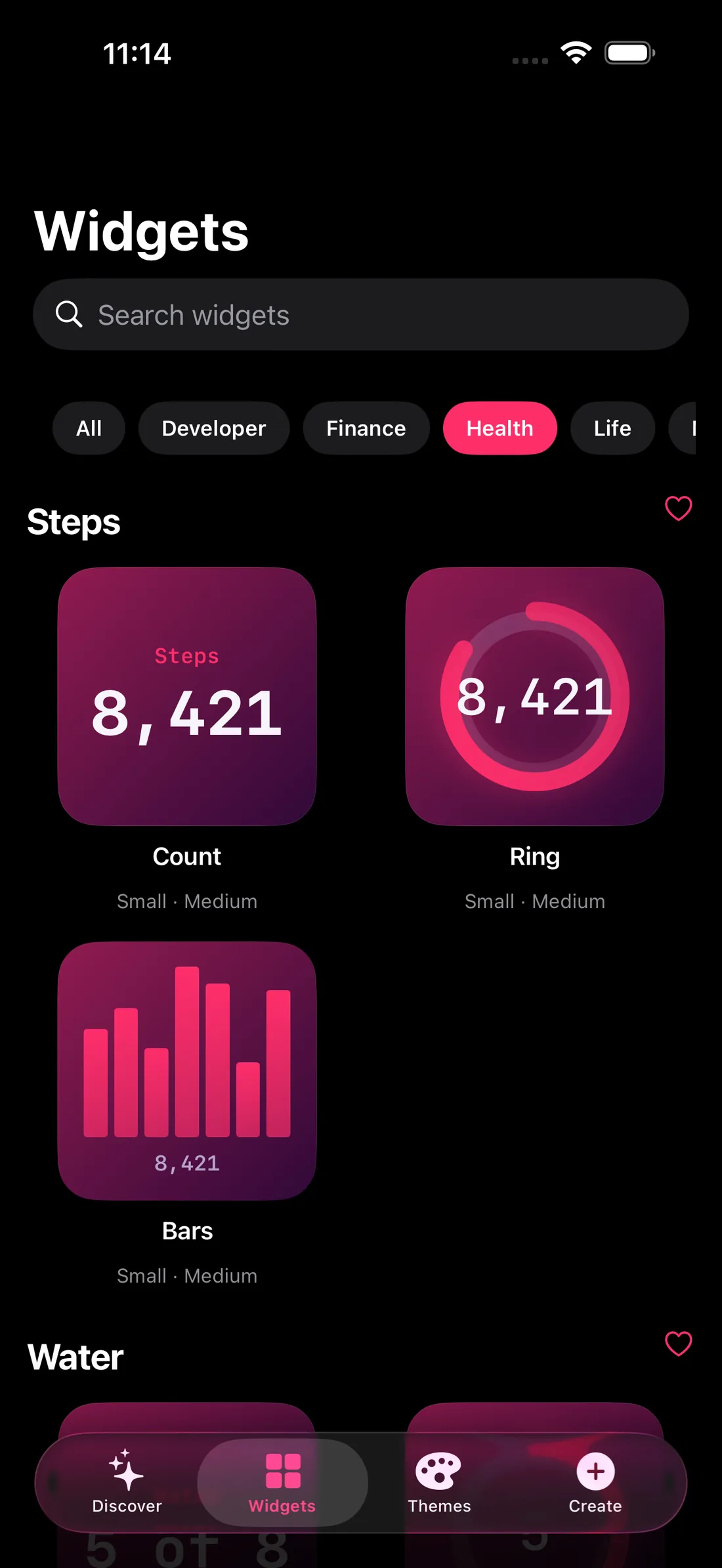
Water & Steps — for the two numbers you actually check
Water tracks today’s glasses against a goal you set, with a tap to log one. Steps reads today’s count and the week’s shape straight from Apple Health.
Both pass the test specifically because they’re numbers you would otherwise open a different app to check — and both are small enough to sit in a corner without dominating the page.
Laying it out
Pick one widget per question you actually ask during the day — “what’s next”, “how long is left”, “did I do the thing” — not one per family that looks useful in the gallery. Three well-chosen widgets you glance at daily beat six you stopped noticing in a week.
Put the one you check most often top-left — it’s the first thing your eye lands on when the screen lights up — and match them all to one theme pack, so the productivity widgets read as a set rather than a row of mismatched apps.
FAQ
Do I need to place all of these to get value?
No — two or three is usually the right number. The point of the test below is picking the ones that change what you do next, not filling the page.
Does the Focus widget need the app open to keep timing?
No. Once a session starts, a Live Activity keeps the countdown live on the Lock Screen and in the Dynamic Island on supported iPhones, independent of whether Novique is open.
Is Up Next the same as adding the Calendar app’s own widget?
It shows the same events, but in Novique’s own theme colours and type, so it sits visually with the rest of your Home Screen instead of standing out as Apple’s default widget style.
Which of these are free?
Countdown, World Clock and Quotes are three of Novique’s seven free-forever families. Focus, Up Next, Habit, Month, Water and Steps are part of Novique Pro.