36 theme packs · 73 widget styles · no account
Your Home Screen,
unmistakably yours.
Novique is a customization app for iPhone, iPad and Mac: widgets, Lock Screen designs and full theme packs that change the whole look in one tap. No backend, no sign-up.
 Download on the App Store
Free forever tier · iPhone, iPad and Mac · Family Sharing · iOS 17 or later
Personalize
Customize your iPhone experience — colours, type, layout, every widget.
Widgets
18 families, 73 styles, 6 sizes — Home Screen and Lock Screen.
Make It Yours
36 theme packs. Pick one and the whole set moves together.
Privacy First
No backend at all. Everything runs on your device.
01 — Themes
Customize your experience
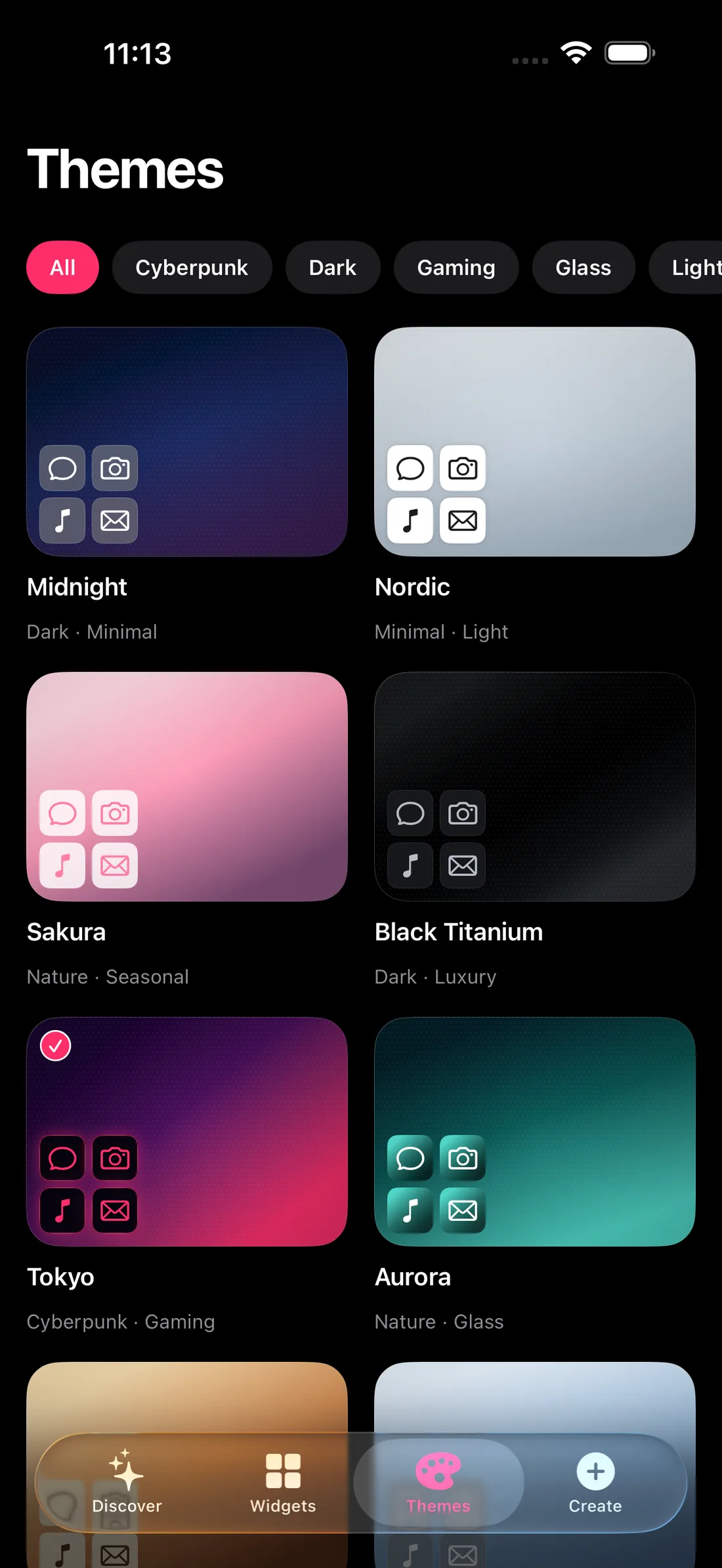
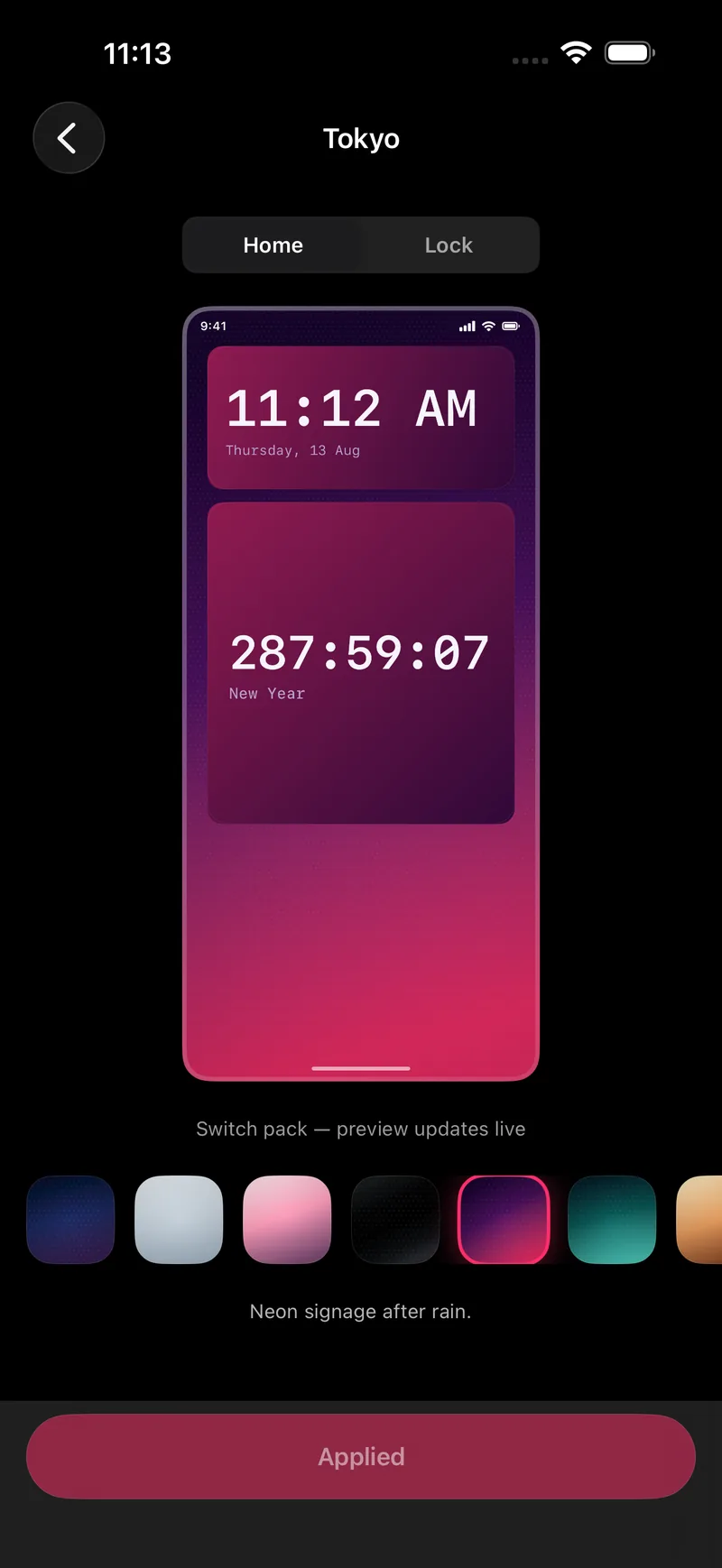
Browse the pack gallery, tap one, and the preview updates live on a real Home Screen and Lock Screen mock before you commit.
36 packs, one tap
Midnight, Nordic, Sakura, Tokyo and thirty-two more. Each pack carries its own gradient, icon tint and type.
Preview before you apply
Toggle Home and Lock, scrub through packs, and watch the preview redraw. Nothing changes until you tap Apply.
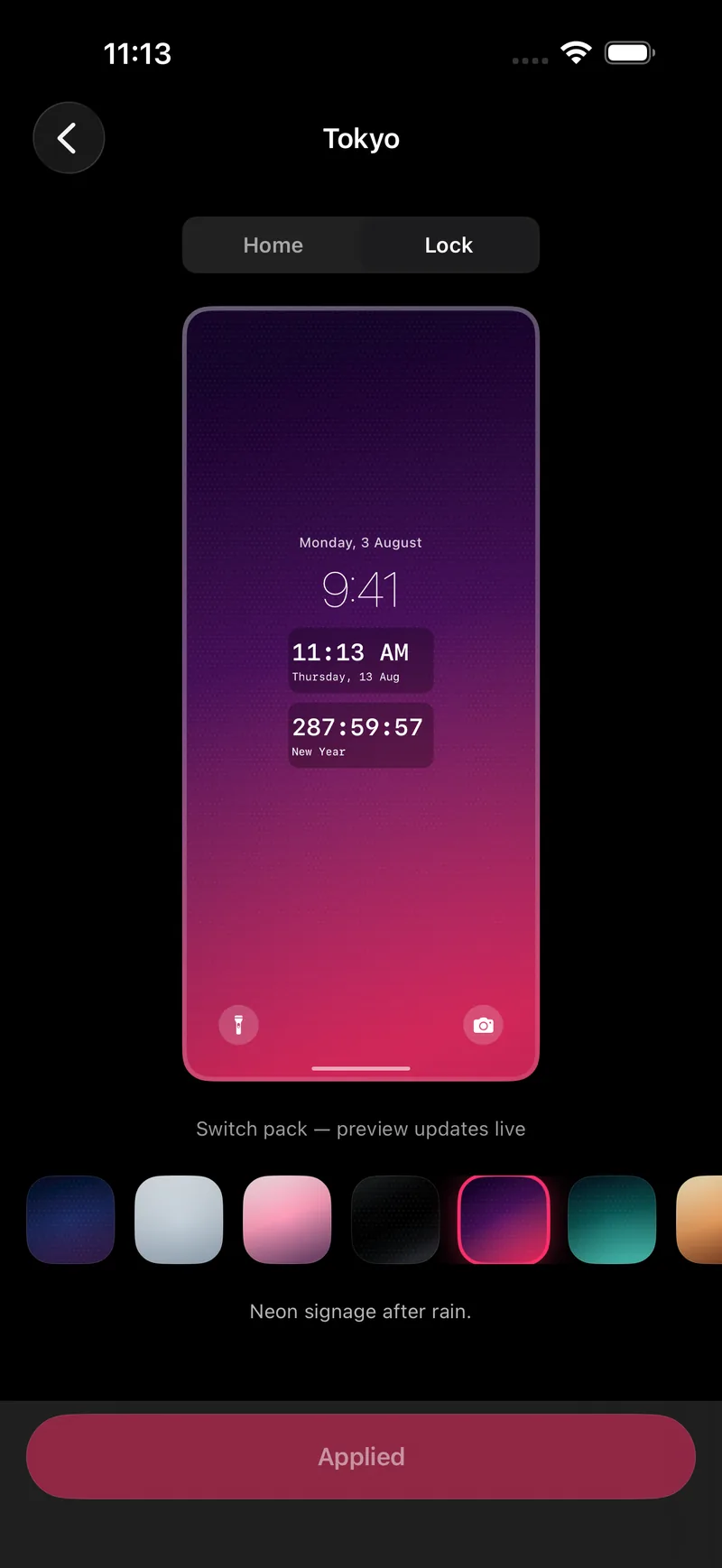
Lock Screen too
The same pack extends to Lock Screen widgets, so the two screens finally look like they belong together.
02 — Widgets
Beautiful widgets
Built with SwiftUI and native widget sizes, so they sit on the Home Screen like Apple’s own — then take on your pack’s colours.
The ones people keep
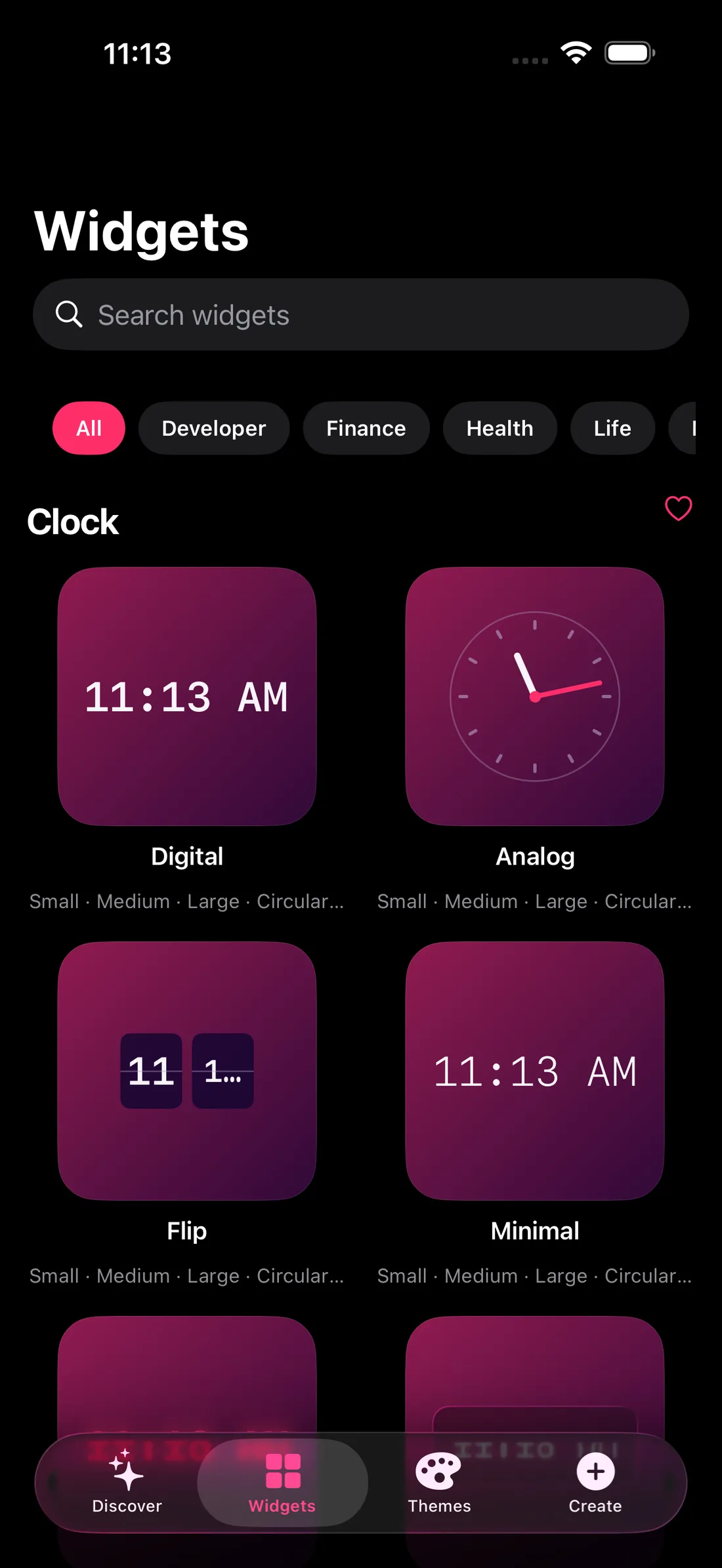
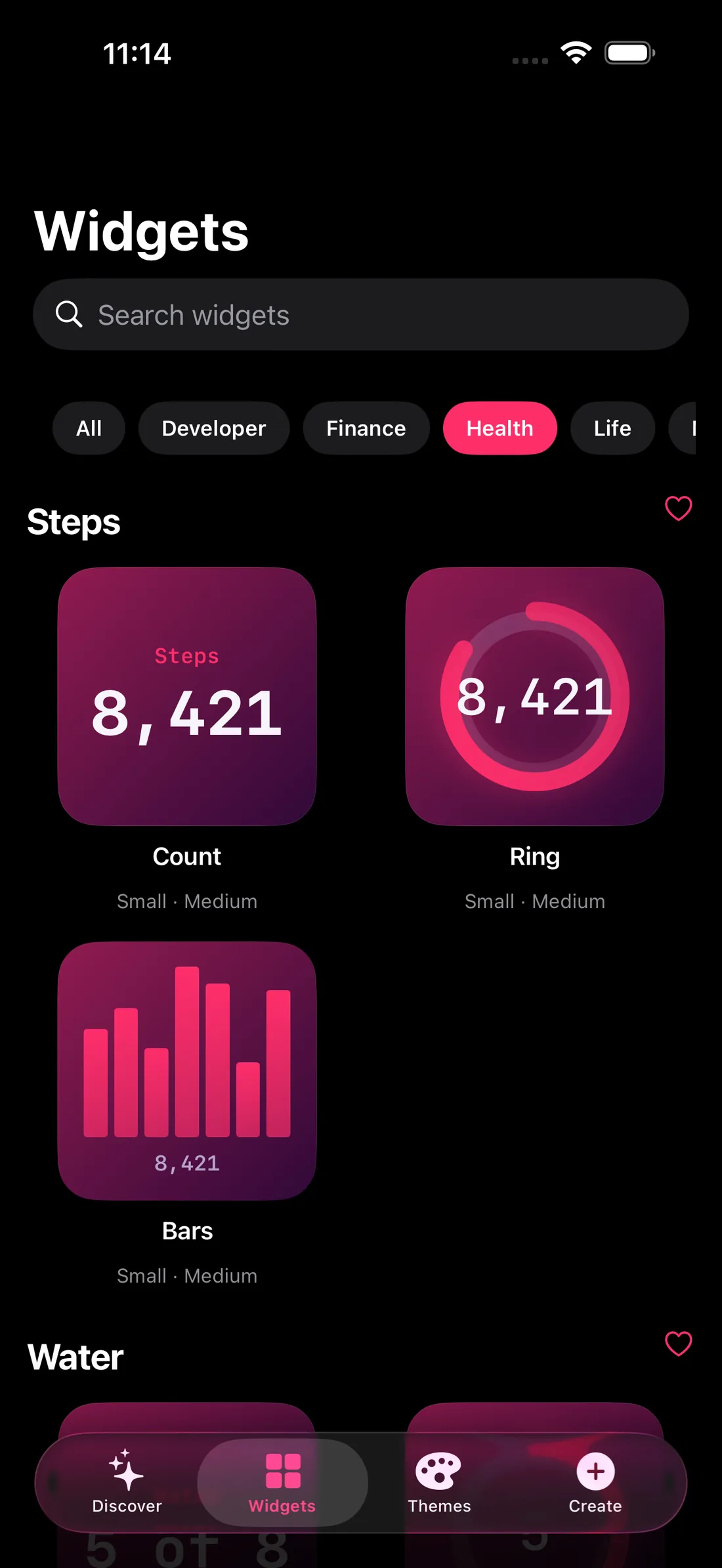
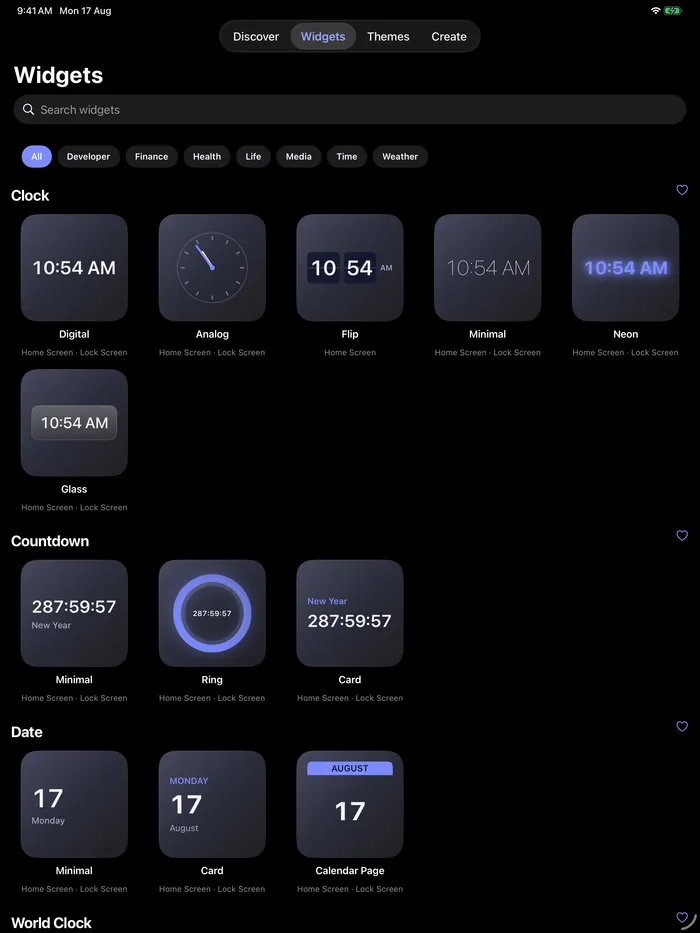
Search 73 styles, filter by life
Developer, Finance, Health, Life — the library is filtered the way you actually think about your day.
Health rings that match your theme
Steps and activity read from Apple Health on device, then get painted in your pack’s palette.
03 — iPad & Mac
One app, three devices
Novique runs on iPhone, iPad and Mac, and the iPad build is a real iPad layout — a sidebar, a widget gallery and a live customization panel side by side, not a stretched phone app. Buy once, and Family Sharing covers up to three people.
- iPhone
- iPad
- Mac
- Family Sharing
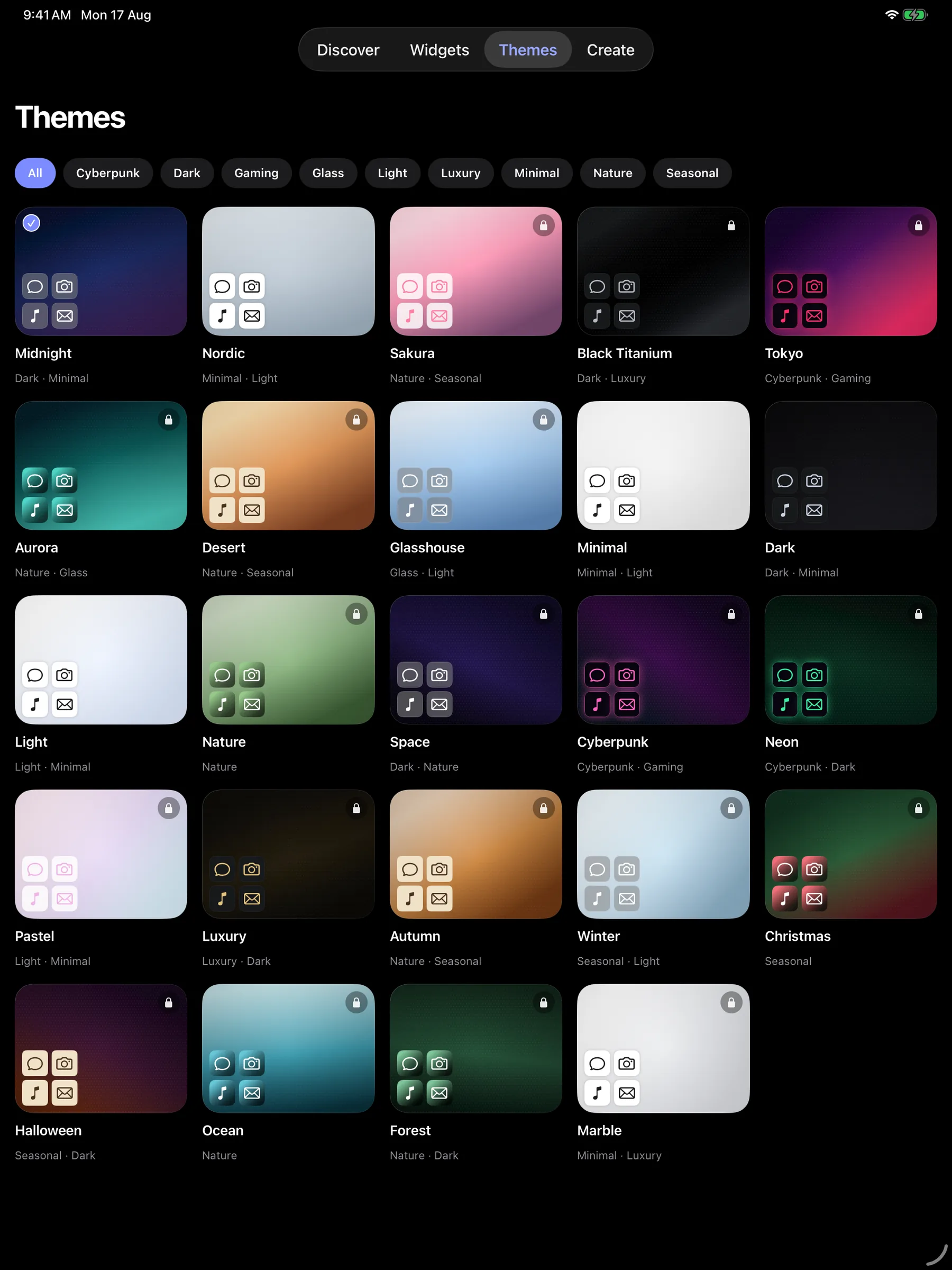
All 36 packs, filtered by Cyberpunk, Dark, Glass, Luxury, Nature and more.
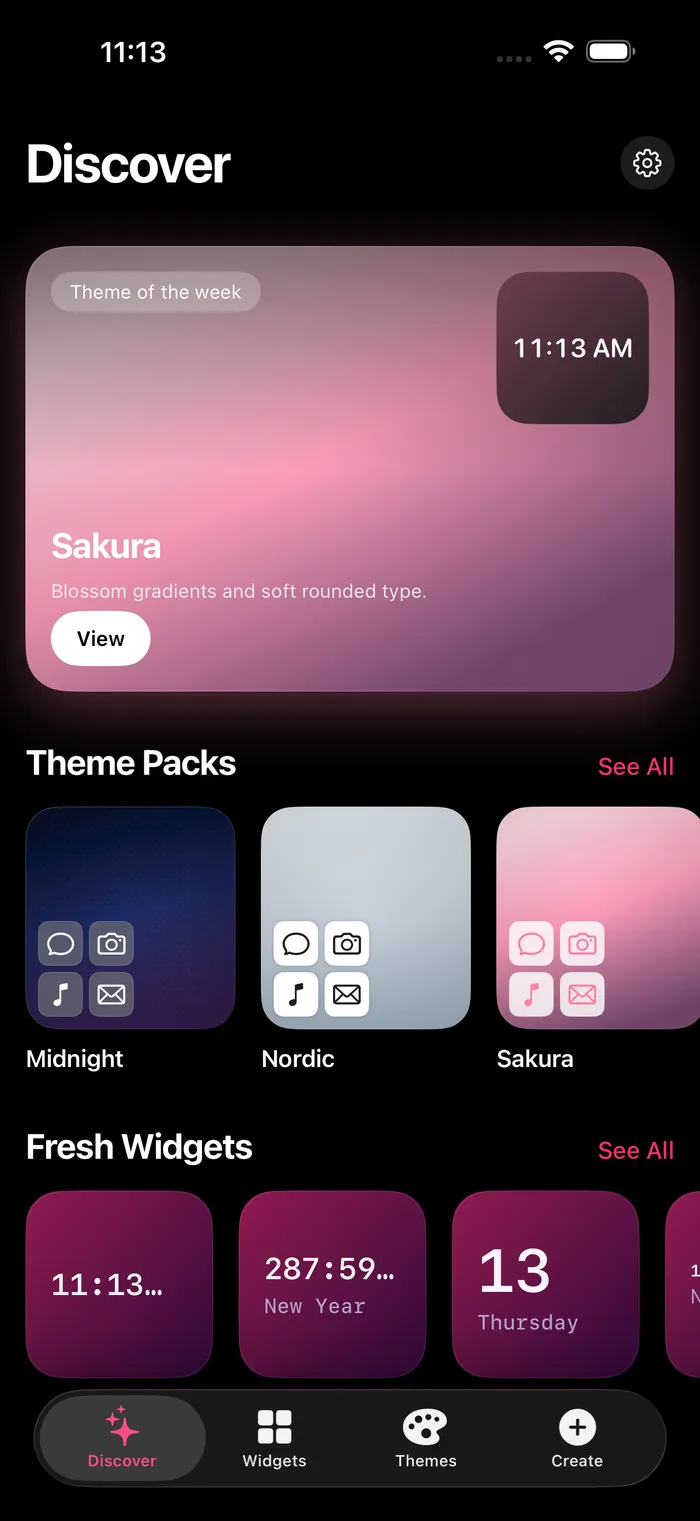
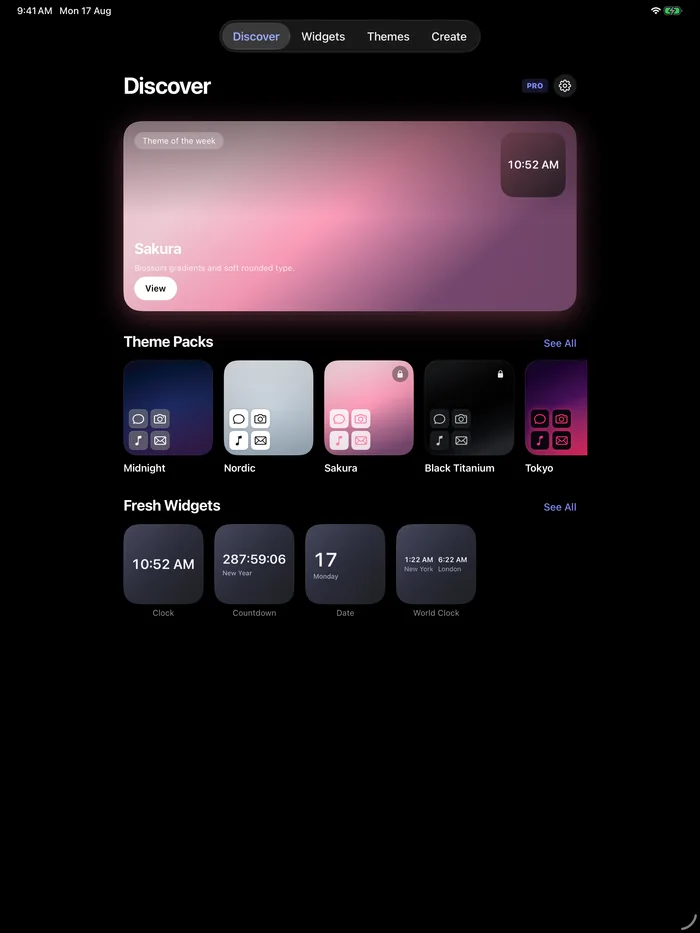
Discover, sized for iPad
Theme of the week, packs and fresh widgets, all above the fold.
A live inspector, right there
Pick a widget from the gallery and tune its size, theme and accent in the panel beside it — no separate screen, no guessing.
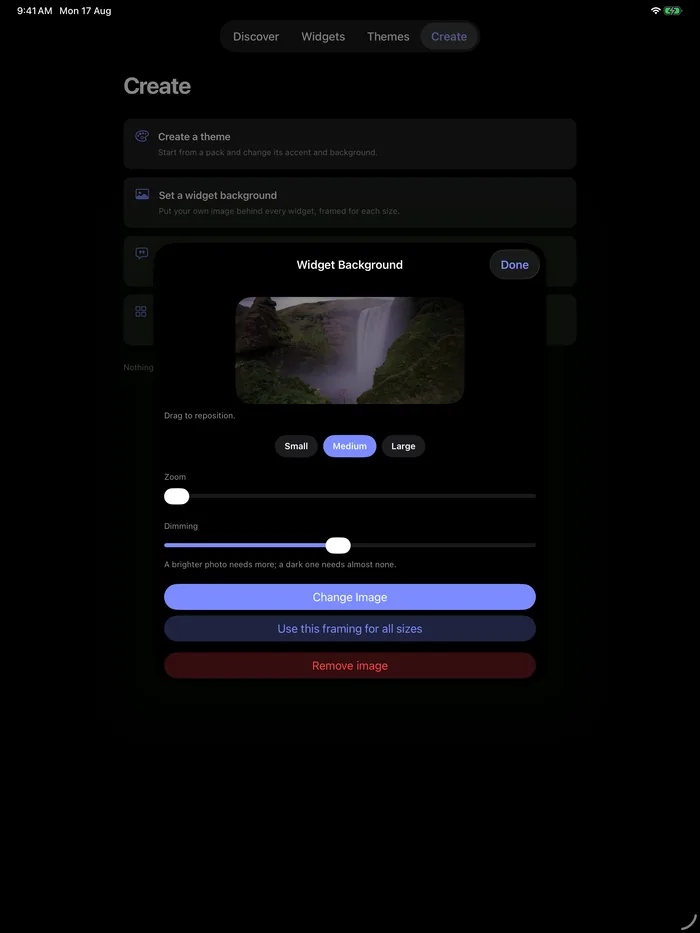
Make your own
Start from a pack and change its accent, or put your own photo behind every widget — framed and dimmed per size.
Free, and yours to write
Script widgets
Write a small JavaScript widget in the app, or import one. Three widget slots run whatever script you assign them — free, no account, and Scriptable-compatible.
Read the guide →// My first widget const w = new ListWidget() const title = w.addText("Hello, Novique") title.font = Font.boldSystemFont(18) title.textColor = noviqueTheme.foreground() Script.setWidget(w)
04 — Privacy
There is no server to leak.
Novique has no backend. Your themes, widget configuration and favourites live on your device, and there is no account to create.
- No backend. Every rule and every render runs on device.
- No account, no login, no profile.
- Data-driven widgets use Apple’s own system services — WeatherKit for weather, Apple Health for steps — with permission you grant in iOS.
- Purchases are handled by the App Store, not by us.
05 — Pricing
Go Pro
Seven widget families and ten theme packs are free forever, with no trial and no sign-up. Pro unlocks the rest.
Free
FOREVER7 widget families · 10 theme packs · no trial, no sign-up
- Clock
- Countdown
- Date
- World Clock
- Quotes
- Moon Phase
- Year Progress
Packs: Blueprint, Cartograph, Cascade, Crayon Box, Dark, Light, Linen, Midnight, Minimal, Nordic
Pro
EVERYTHINGThe other 11 widget families, all 36 theme packs, all 6 sizes.
- Month
- Steps
- Photo Frame
- Weather
- Water
- Focus
- GitHub
- Crypto
- Habit
- YouTube
- Up Next
Plus the Focus Live Activity with Dynamic Island support.
Family Sharing included
One purchase covers up to three family members.
iPhone, iPad and Mac
Buy once and use Novique across all three. Nothing extra to unlock.
Prices are shown in USD and may differ in your region.
Guides
All guides →How-to
How to Customize Your iPhone Home Screen
The full walkthrough: widgets, sizes, Lock Screen and a look that holds together.
Ideas
25 iPhone Home Screen Ideas for 2026
A pack-by-pack gallery of looks worth copying.
Widgets
Best iPhone Widgets for Productivity
Which widgets earn a slot on the first page.
How-to
How to Make Your iPhone Home Screen Aesthetic
Colour, contrast and restraint, with real examples.